

iPhone and iPad — with Safari
The button names below are the ones shown on the screenshots (an iPhone in French shows “Sur l'écran d'accueil” and “Ajouter”).
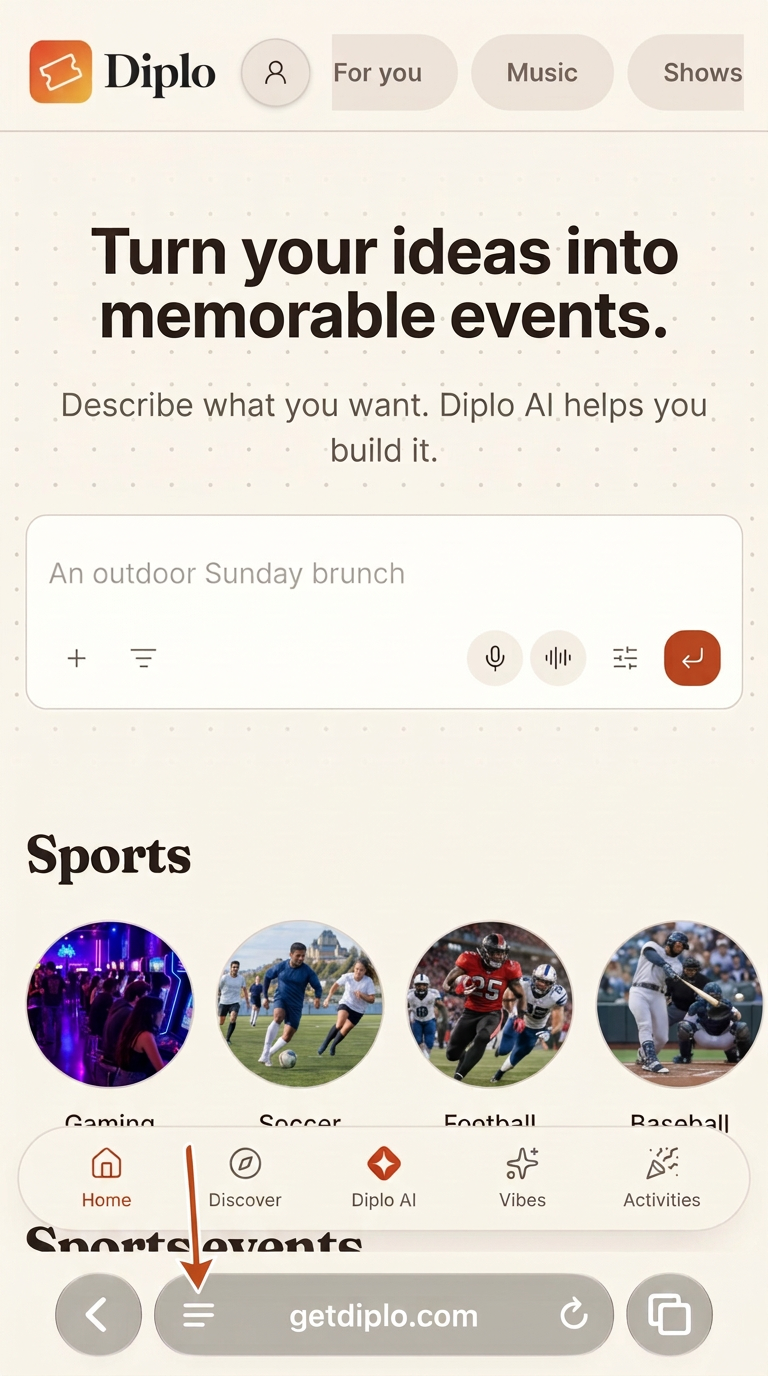
Open the Safari menu
On getdiplo.com, tap the menu button in the bottom bar (the three lines).
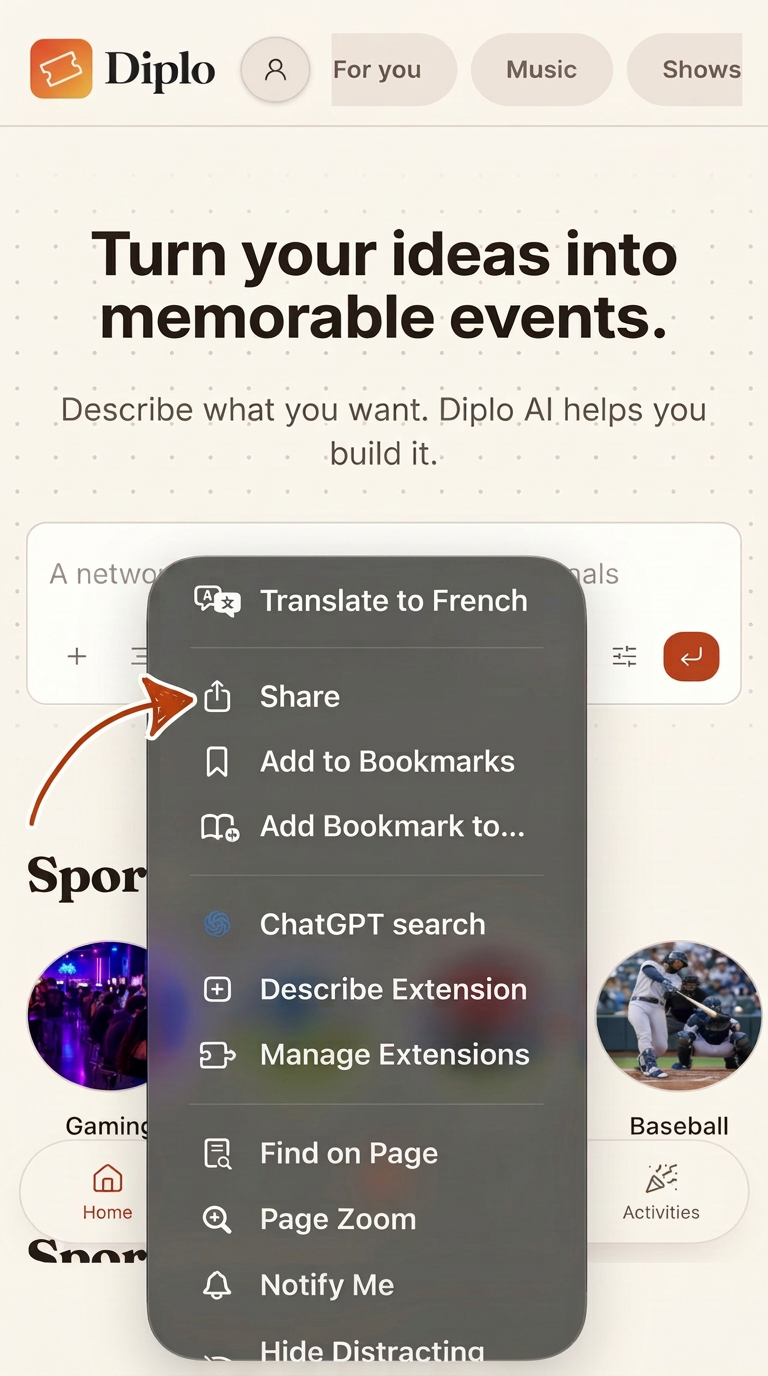
Tap “Share”
In the menu that opens, choose Share.
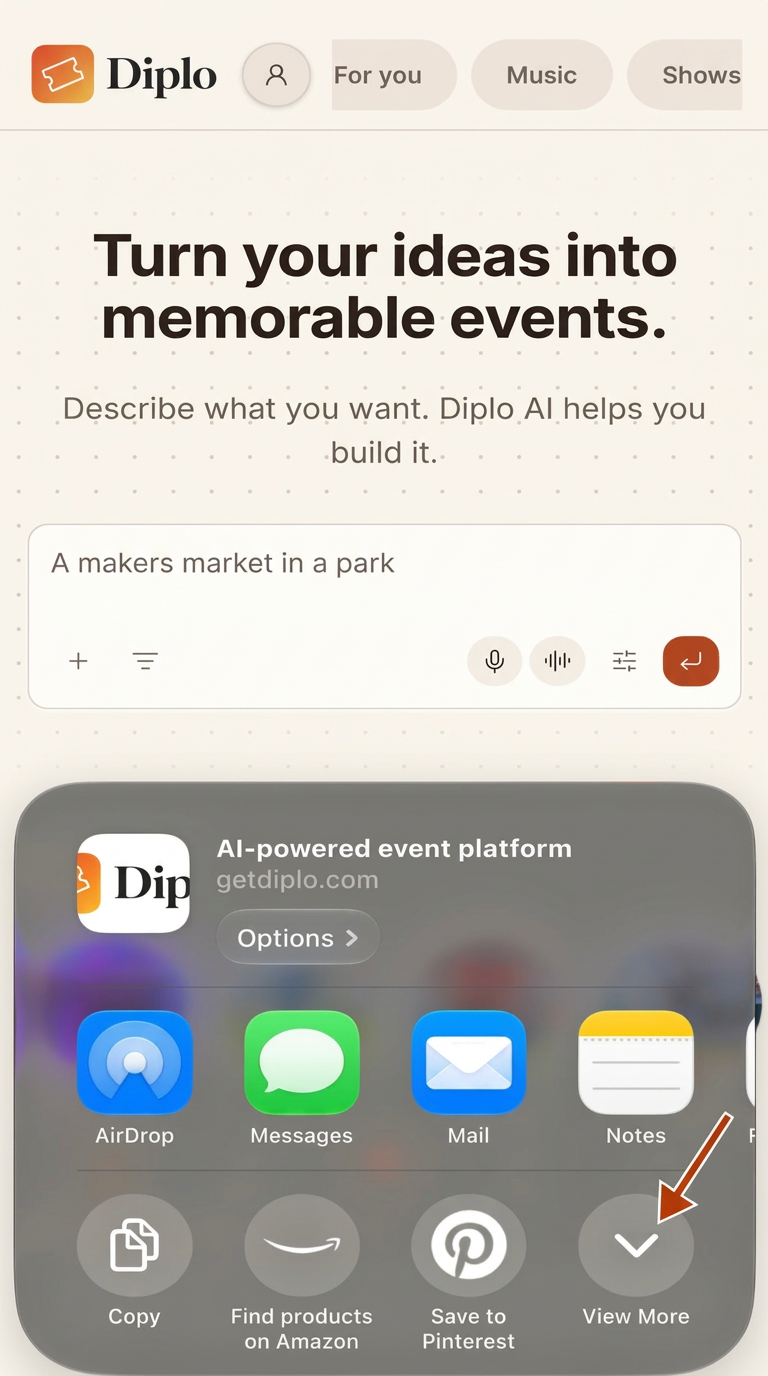
The share sheet opens
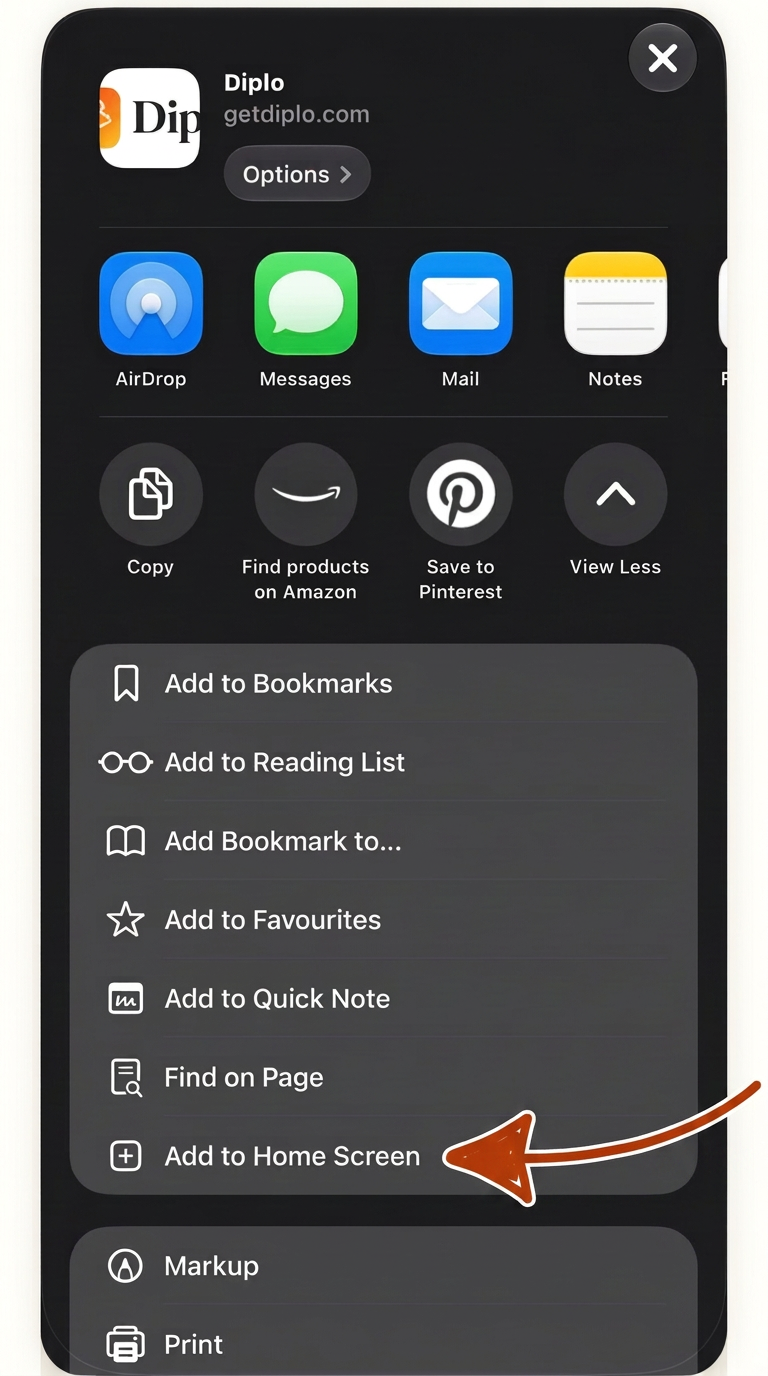
If you don't see the option right away, tap “View More”.
Choose “Add to Home Screen”
Scroll down the list and choose Add to Home Screen.
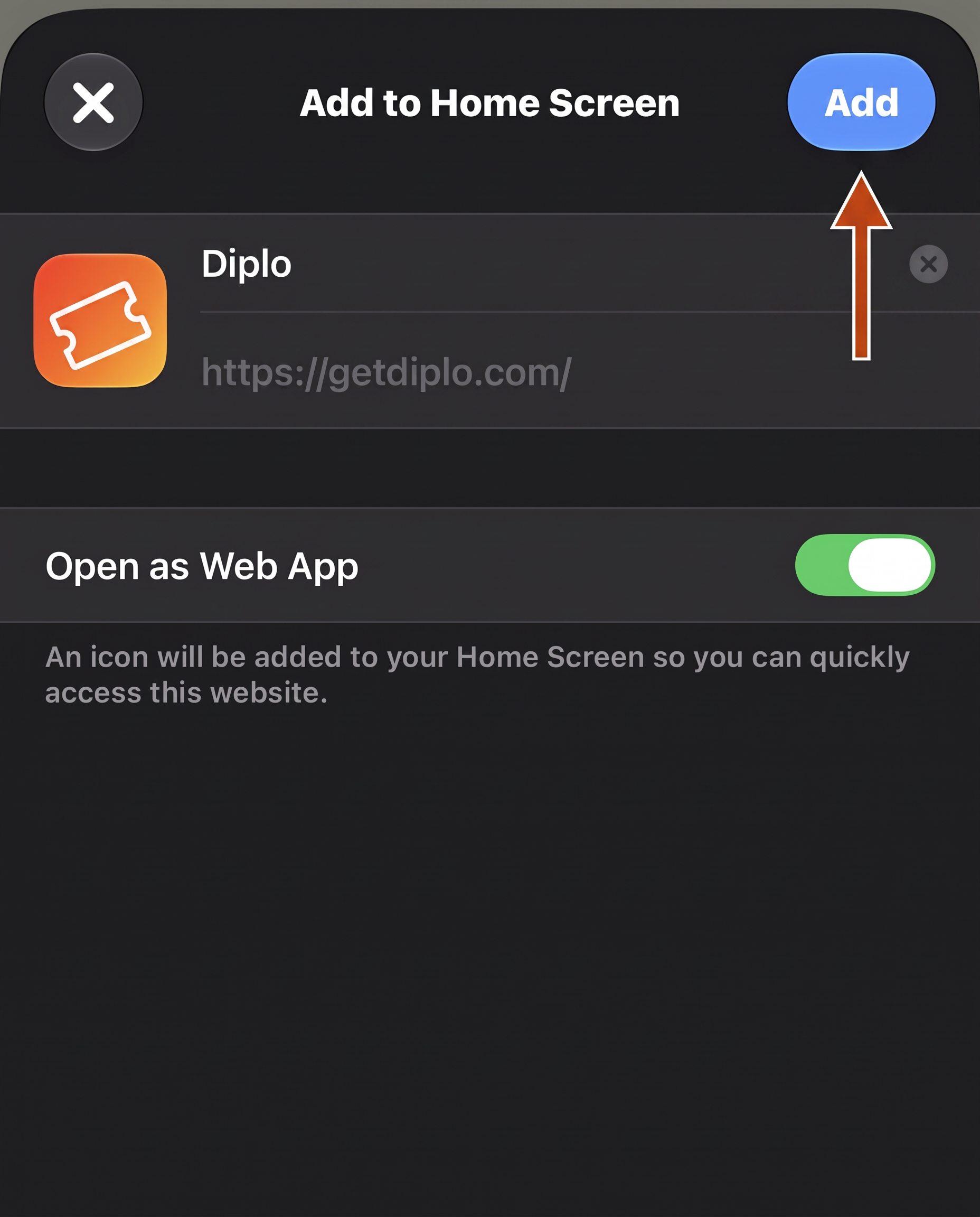
Tap “Add”
The name “Diplo” is already filled in. Tap Add: the icon lands on your home screen.
Android — with Chrome
Open getdiplo.com in Chrome
Any Android browser works; the menus below are Chrome's.
Tap the three dots
Top-right corner of the browser.
Choose “Install app”
If you only see “Add to Home screen”, that works too — same result.
Confirm with “Install”
The Diplo icon is added to your home screen.

Diplo
Add to your home screen
Questions and problems
The install option doesn’t appear?
On iPhone, it only appears in Safari: open getdiplo.com there, refresh the page (the circular arrow in the address bar), then reopen the Share menu and scroll the list — “Add to Home Screen” is further down. On Android, open the browser menu (the three dots) and look for “Install app” or “Add to Home screen”.
Diplo is already installed?
If the Diplo icon is already on your home screen, there is nothing to install: just open Diplo from that icon. To refresh the icon, delete it from your home screen, then follow the steps above again.
One last thing
From now on, open Diplo from its home screen icon. On iPhone, notifications only work when Diplo is opened from the icon, not from a browser tab.